 Sararak
Sounds for focus and rest
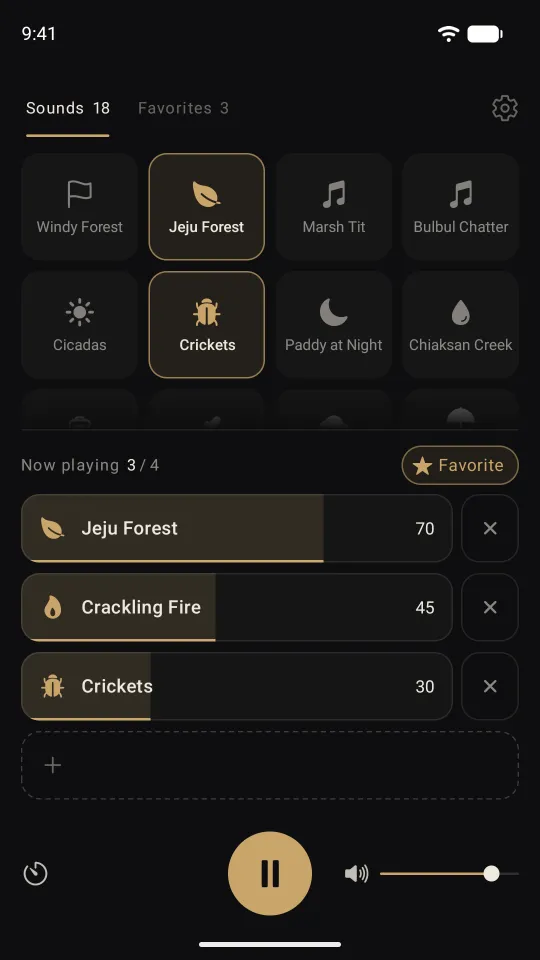
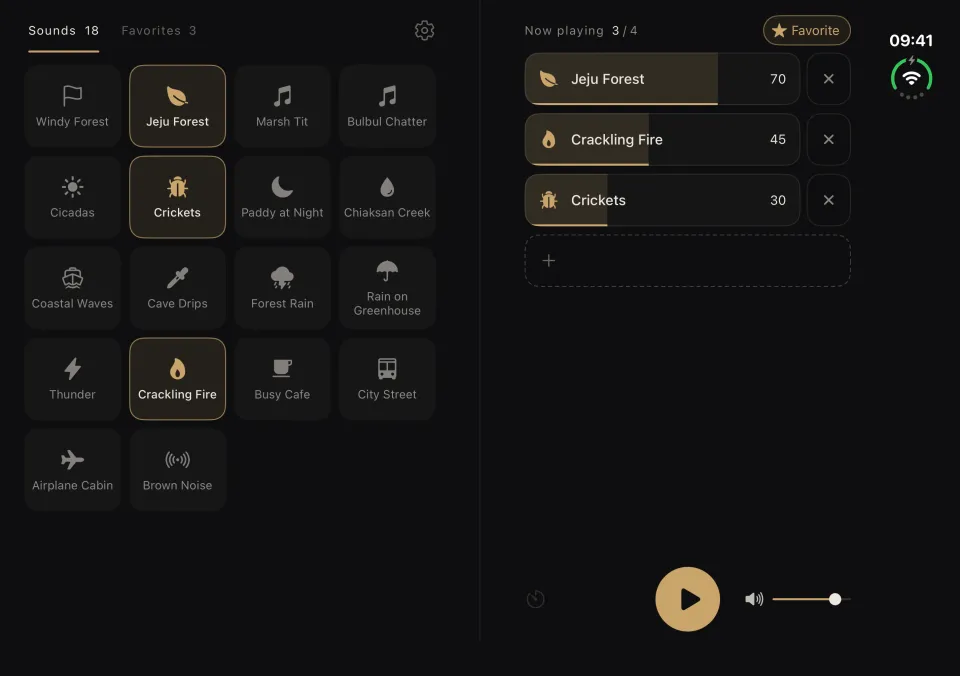
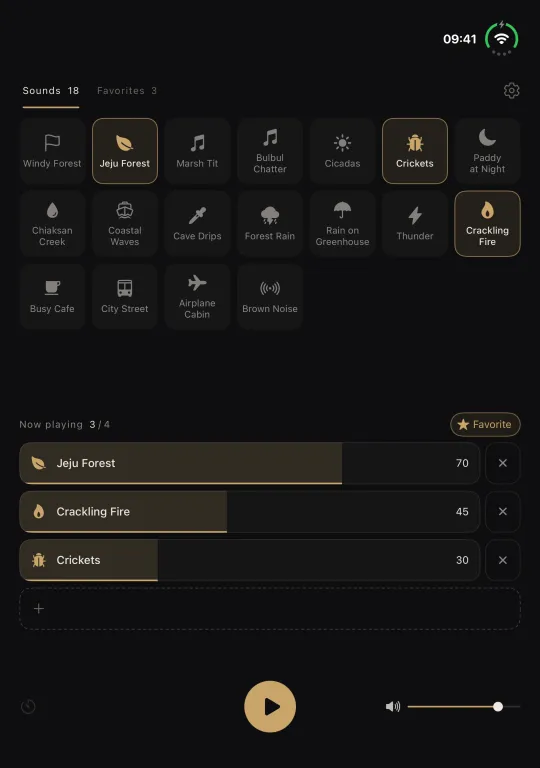
Rainfall, forest ambience, ocean waves, a crackling fire, the buzz of a busy cafe. Pick up to four sounds and make your own background mix. Set the volume of each one and let your mix loop seamlessly.
Coming soon to the App Store and Google Play
When to play it
Like white noise, it is sound to keep on in the background. When a room feels too quiet, fill it with the sounds you want to hear.
- Studying
- Working
- Reading
- Winding down for bed
- Meditating
- Taking a break
18 sounds
Every sound is built into the app, so you can listen without an internet connection.
Rain and water
- Forest rain
- Rain on a greenhouse
- Thunder
- Creek
- Coastal waves
- Cave drips
Forest and wildlife
- Two forest soundscapes
- Cicadas
- Crickets
- Rice paddy at night
- Marsh tit
- Bulbul chatter
Fire, city, and noise
- Crackling fire
- Busy cafe
- City street
- Airplane cabin
- Brown noise
Features
Mix up to four sounds
- Play up to four sounds together.
- Adjust the volume of each sound, plus the overall volume.
- Sounds loop seamlessly, with no gaps.
- Keeps playing when you leave the app or turn off the screen, and you can play or pause from the lock screen.
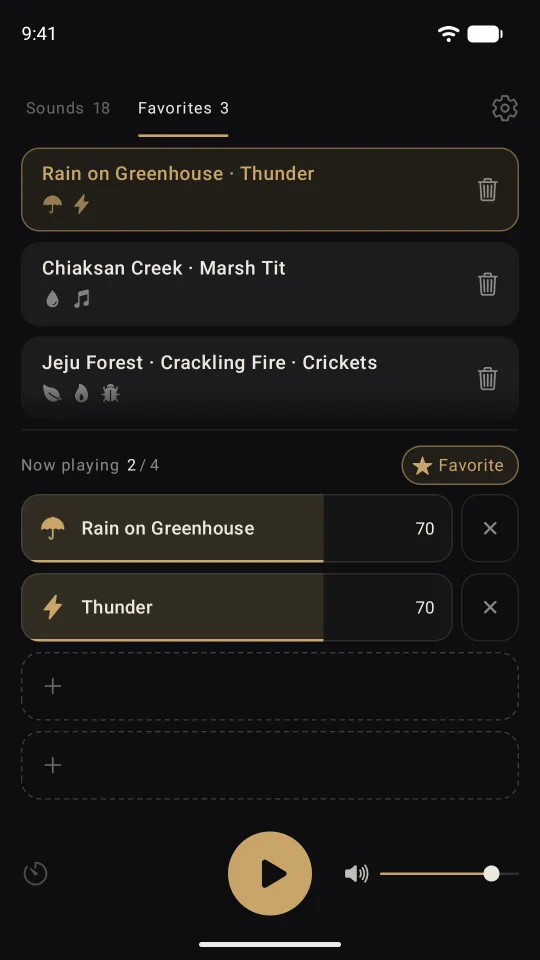
Favorites
- Save up to five mixes.
- Switch to a saved mix with one tap.
- Reopen the app and your last mix is right where you left it.
Sleep timer
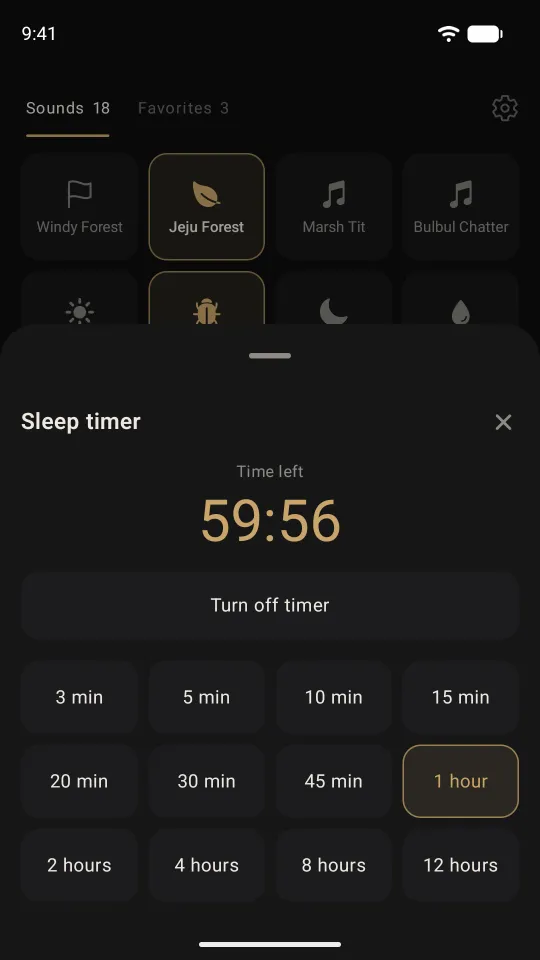
- Set it for anywhere from 3 minutes to 12 hours, and playback stops when the time is up.
- Check the time remaining or turn the timer off at any time.
Landscape and tablets
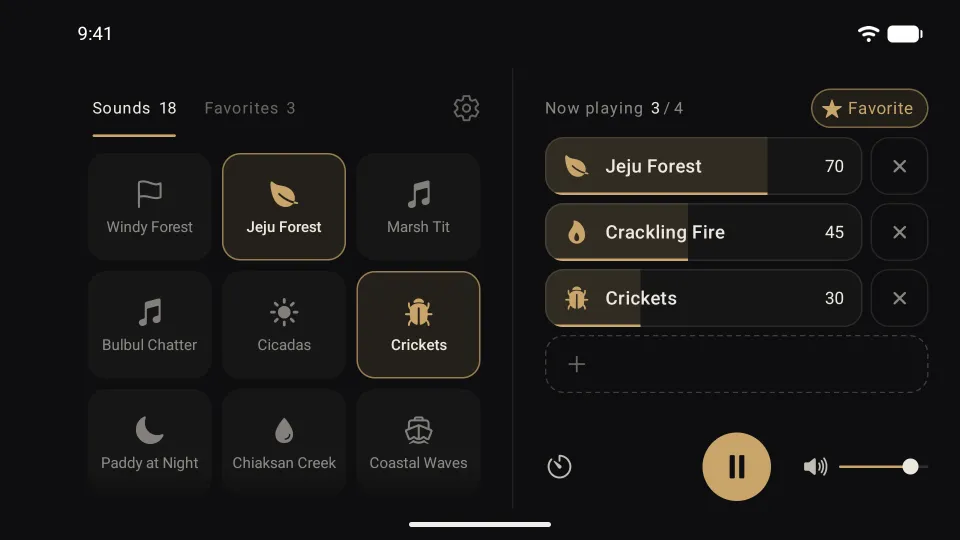
- Turn your phone sideways to see the sounds and the mixer side by side.
- Android tablets show them side by side too.
Foldables and iPhone Duo
On foldables and iPhone Duo, Sararak splits the screen along the fold, so no buttons or text land on the crease.
iPhone Duo
- Unfold it, and the sounds sit to the left of the fold with the mixer on the right.
- Turn it upright while unfolded, and the sounds sit above the fold with the mixer below.
- Fold it, and it looks just as it does on any other iPhone.
Android foldables
- Unfold it to see the sounds and the mixer side by side.
- Half-fold it and stand it on a table (tabletop posture), and the sounds sit above the fold with the mixer below.
Playback keeps going when you fold, unfold, or rotate the device.
Frequently asked questions
- Do I need an internet connection?
- No. Every sound is built into the app, so it plays even in airplane mode.
- Which devices are supported?
- Sararak runs on iPhone (including iPhone Duo) with iOS 26 or later, and on Android phones, tablets, and foldables with Android 13 or later.
- Does it work on foldables and iPhone Duo?
- Yes. When unfolded, the screen splits at the fold, with the sounds on one side and the mixer on the other. When folded, it looks the same as on a regular phone.
- Does it keep playing while I use other apps?
- Yes, it keeps playing when you leave the app or turn off the screen. But if another app plays sound, such as a video, music, or a call, Sararak stops.
- How many sounds can I mix at once?
- Up to four. You can set the volume of each one.
- Do I need an account?
- No. Your favorites and your last mix are stored only on your device. See the Privacy Policy for details.
Support
If you run into a problem or have feedback, send us an email. See our email address